





Description
Download xTunnel VPN APK – Reliable, Fast, Secure, Global Server Network
Overview
Designed for mobile users seeking enhanced online privacy and unrestricted internet access, xTunnel VPN APK is a desktop-compatible application developed by XtianXian Dev. The software functions as a virtual private network (VPN) tool, enabling users to establish secure, encrypted connections to the internet. Its primary purpose is to bypass regional content restrictions, allowing access to websites and applications that may be blocked in certain locations. The application is tailored for individuals who value online anonymity and security, including travelers, remote workers, and users in regions with internet censorship.
By masking the user’s real IP address, xTunnel VPN helps protect digital identity and ensures that online activities remain private and difficult to trace. It supports a wide range of online tasks such as streaming, browsing, downloading, and gaming, all while maintaining a stable connection. The developer did not provide additional details about the company’s background or development philosophy. Real-world usage scenarios include accessing geo-restricted streaming services, securing data on public Wi-Fi networks, and protecting personal information from potential interception.
Key Features & Capabilities
- Secure Encrypted Connection: Utilizes military-grade AES-256 encryption to safeguard data from hackers, ISPs, and surveillance entities.
- Global Server Network: Offers access to servers in multiple countries including the Philippines, Germany, France, Poland, the United Kingdom, Singapore, Japan, the United States, and Hong Kong.
- IP Address Masking: Hides the user’s real location, enhancing privacy and enabling anonymous browsing.
- Unlimited Bandwidth: Allows unrestricted data usage without throttling or speed caps.
- No Registration Required: Users can access the service without creating an account or providing personal information.
- Fast and Reliable Performance: Engineered for seamless streaming, downloading, and gaming with minimal latency.
These features collectively support users in maintaining privacy while accessing global content. For example, a user in a region with restricted access to international news platforms can connect to a server in the United States to view content freely. Similarly, someone using a public Wi-Fi hotspot can protect their sensitive data from potential threats. The absence of login requirements adds convenience for users who prioritize quick setup and minimal data collection.
User Interface, Workflow & Performance
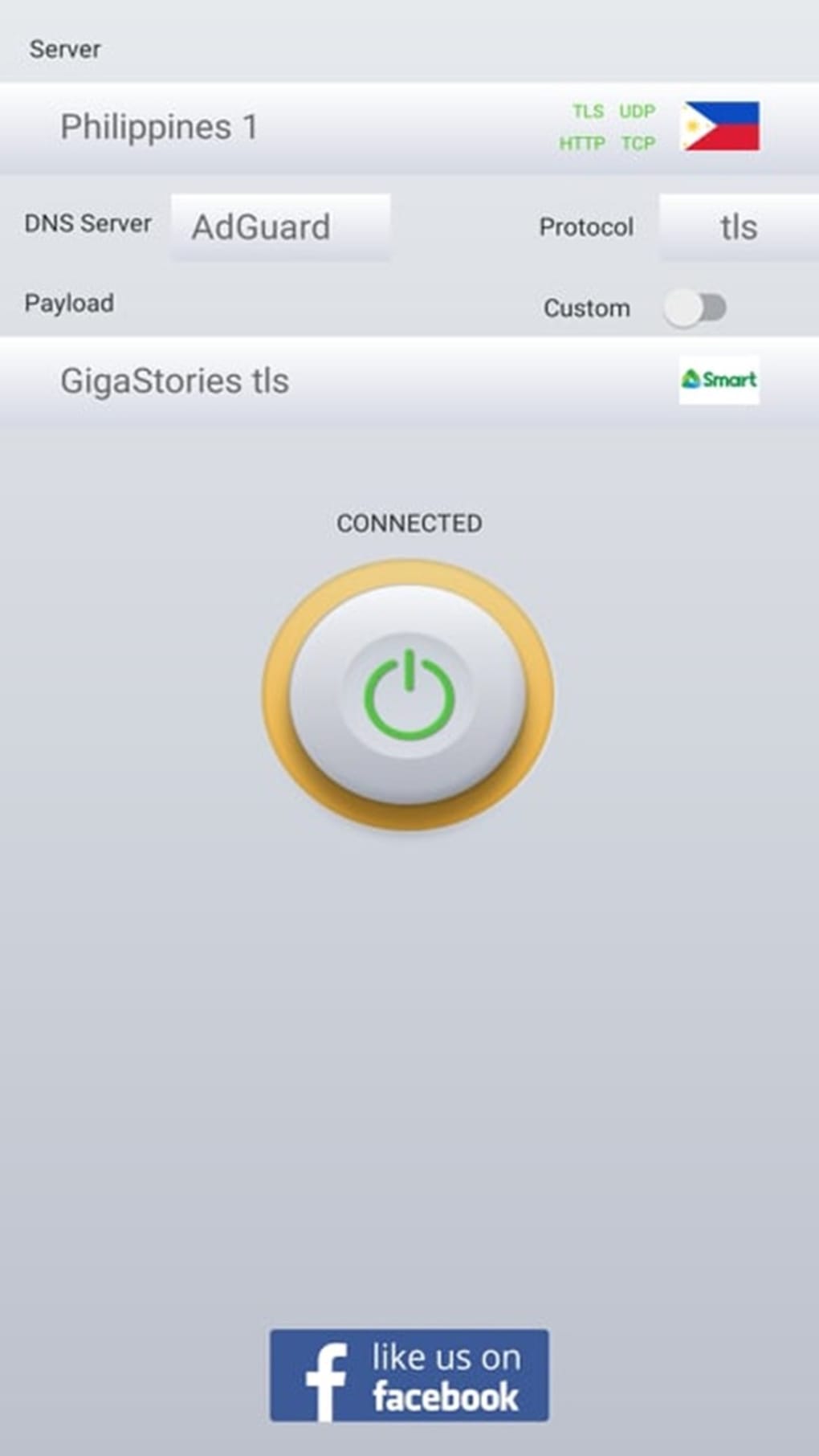
The user interface of xTunnel VPN APK is designed with simplicity in mind, featuring a clean layout that prioritizes ease of access to core functions. Navigation is straightforward, allowing users to connect to a server with a single tap. The workflow is efficient, minimizing steps between launch and activation of the secure connection. The application does not appear to include complex settings or advanced configuration options, which may appeal to casual users seeking a plug-and-play experience.
Performance observations are based on general software behavior patterns. The developer did not specify resource usage details. However, the application is reported to maintain stable connections across various network conditions. Users may experience occasional connectivity instability on some servers, which could affect performance during high-demand activities. The software’s CPU and RAM behavior were not disclosed. Stability is generally consistent, though minor disruptions may occur depending on network availability and server load.
Compatibility & System Requirements
xTunnel VPN APK is designed for mobile platforms, with compatibility confirmed for Android devices. The application is available as an APK file, indicating it is intended for sideloading on Android systems. The developer did not specify exact system requirements, including minimum OS version or hardware specifications. Installation size was not provided. Platform compatibility information is limited to Android, with no official support confirmed for iOS or desktop operating systems.
Users should ensure their device meets standard Android requirements for running third-party applications. The developer did not list any specific hardware demands. It is recommended to verify the APK source for authenticity and security before installation. For desktop users, the software is not natively supported, though some Android emulators may allow limited use.
Pros and Cons
Pros
- Free to use with no registration required
- Strong encryption using AES-256 technology
- Extensive global server network across multiple countries
- Unlimited bandwidth for unrestricted online activities
- Simple and intuitive user interface
- Effective IP masking for enhanced privacy
Cons
- Intrusive advertisements may disrupt user experience
- Occasional connectivity instability on certain servers
- Limited information on system requirements and performance
- No official desktop version available
- APK distribution requires manual installation
FAQ Section
Is xTunnel VPN APK safe to download and use?
Yes, the application is designed to provide secure, encrypted connections. However, since it is distributed as an APK file, users should only download it from trusted sources to avoid potential security risks.
Does xTunnel VPN require an account or login?
No, the software does not require registration or login. Users can connect and browse anonymously without providing personal information.
Can I use xTunnel VPN on my desktop computer?
There is no official desktop version available. The application is designed for Android devices and may only be used on desktops through Android emulators.
Does the app support unlimited data usage?
Yes, xTunnel VPN offers unrestricted bandwidth, allowing users to stream, download, and browse without data caps or throttling.
How often are updates released for xTunnel VPN APK?
The release schedule for updates was not specified. Users should check the official source periodically for the latest version and security patches.
Final Thoughts + CTA
xTunnel VPN APK stands out as a compelling free solution for users seeking secure, private, and unrestricted internet access on Android devices. Its combination of strong encryption, global server coverage, and no-registration policy makes it a valuable tool for privacy-conscious individuals. While the presence of intrusive ads and occasional server instability are notable drawbacks, the core functionality remains robust and effective for everyday use.
For mobile users who prioritize anonymity, bypass regional restrictions, and access global content without cost, xTunnel VPN offers a reliable option. It is particularly beneficial for travelers, remote workers, and those in regions with internet limitations. Despite its limitations in desktop compatibility and transparency around system performance, the application delivers a strong balance of security and usability.
Download xTunnel VPN now to experience fast, secure, and private browsing on your Android device.
Guides & Tutorials for xTunnel VPN APK
How to install xTunnel VPN APK
- Click the Preview / Download button above.
- Once redirected, accept the terms and click Install.
- Wait for the xTunnel VPN APK download to finish on your device.
How to use xTunnel VPN APK
This software is primarily used for its core features described above. Open the app after installation to explore its capabilities.
User Reviews for xTunnel VPN APK 0
No reviews found





